
Learnify
E-Learning Apps with AI Assistant
PROBLEM STATEMENT
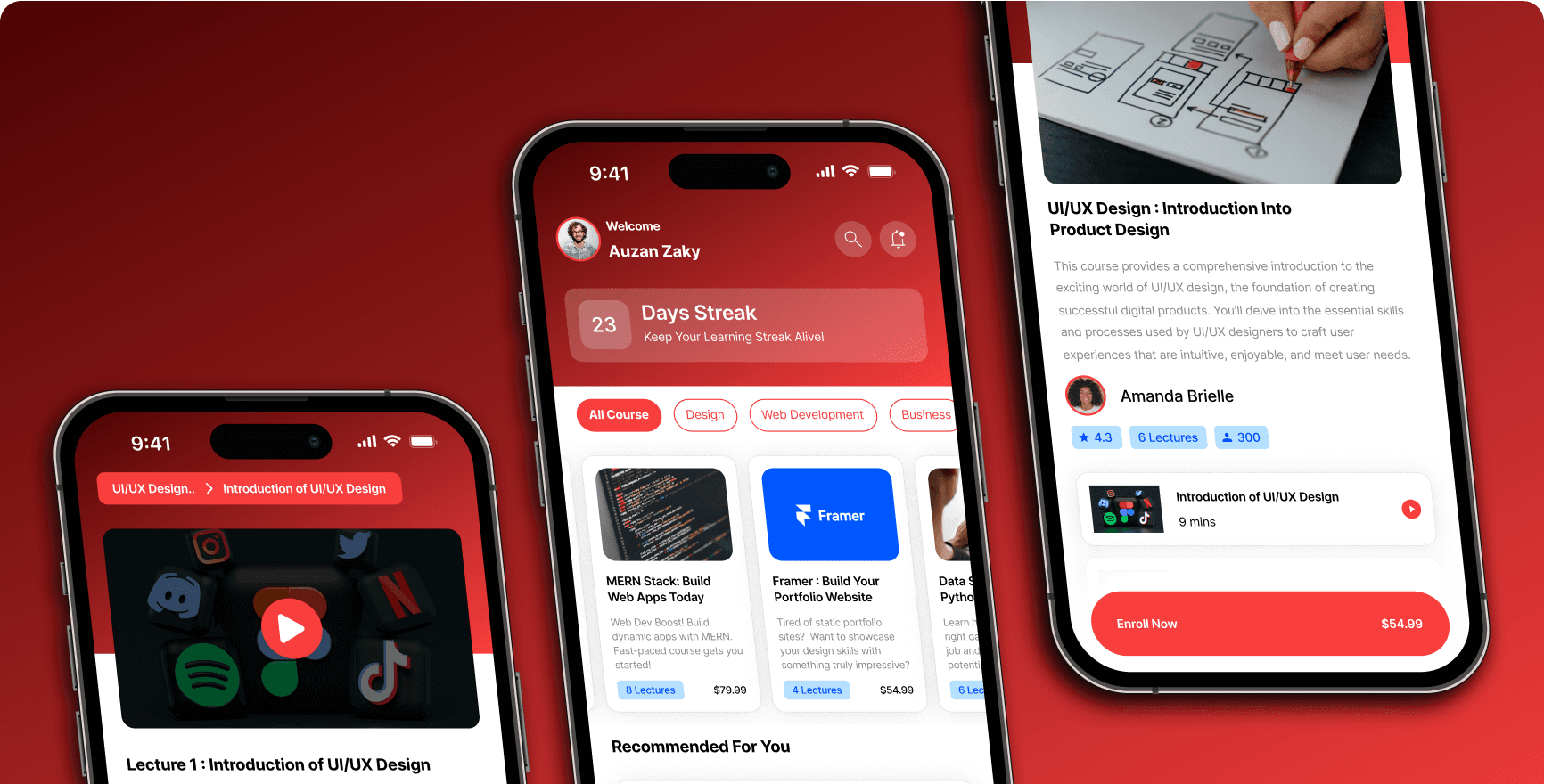
Learnify is the result of my design exploration, created to develop an intuitive and engaging mobile learning application. With the help of an AI Assistant, the app simplifies the learning process for users. Additionally, the "streak" feature encourages users to learn consistently. This application aims to motivate users to be more diligent in their learning journey.
PROJECT GOALS
01 - Design a User-Friendly Interface: Create a learning app that is easy to use and attractive for users.
02 - Help Learning with AI Assistant: Use AI to make learning easier and more personal for each user.
03 - Promote Consistency with Streaks: Add a "streak" feature to motivate users to learn regularly.
04 - Encourage Active Learning: Inspire users to stay motivated and enjoy their learning process.
USER FLOW DIAGRAM
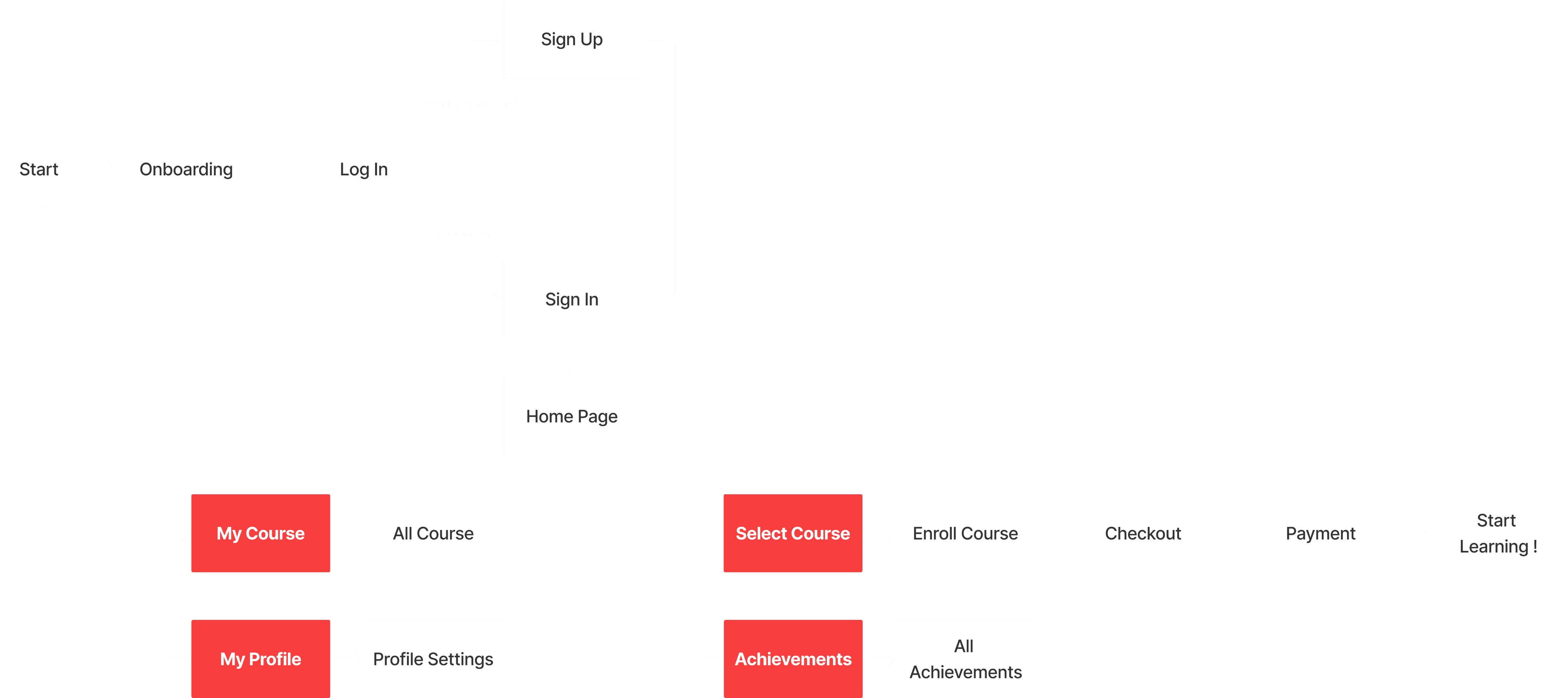
I made a User Flow Diagram to ensure a good flow of the app, from Onboarding to the Homepage. On the Homepage, there will be 4 pages. The main flow is when the users select a course, proceed to checkout, and then start learning.
ON BOARDING & SIGN UP
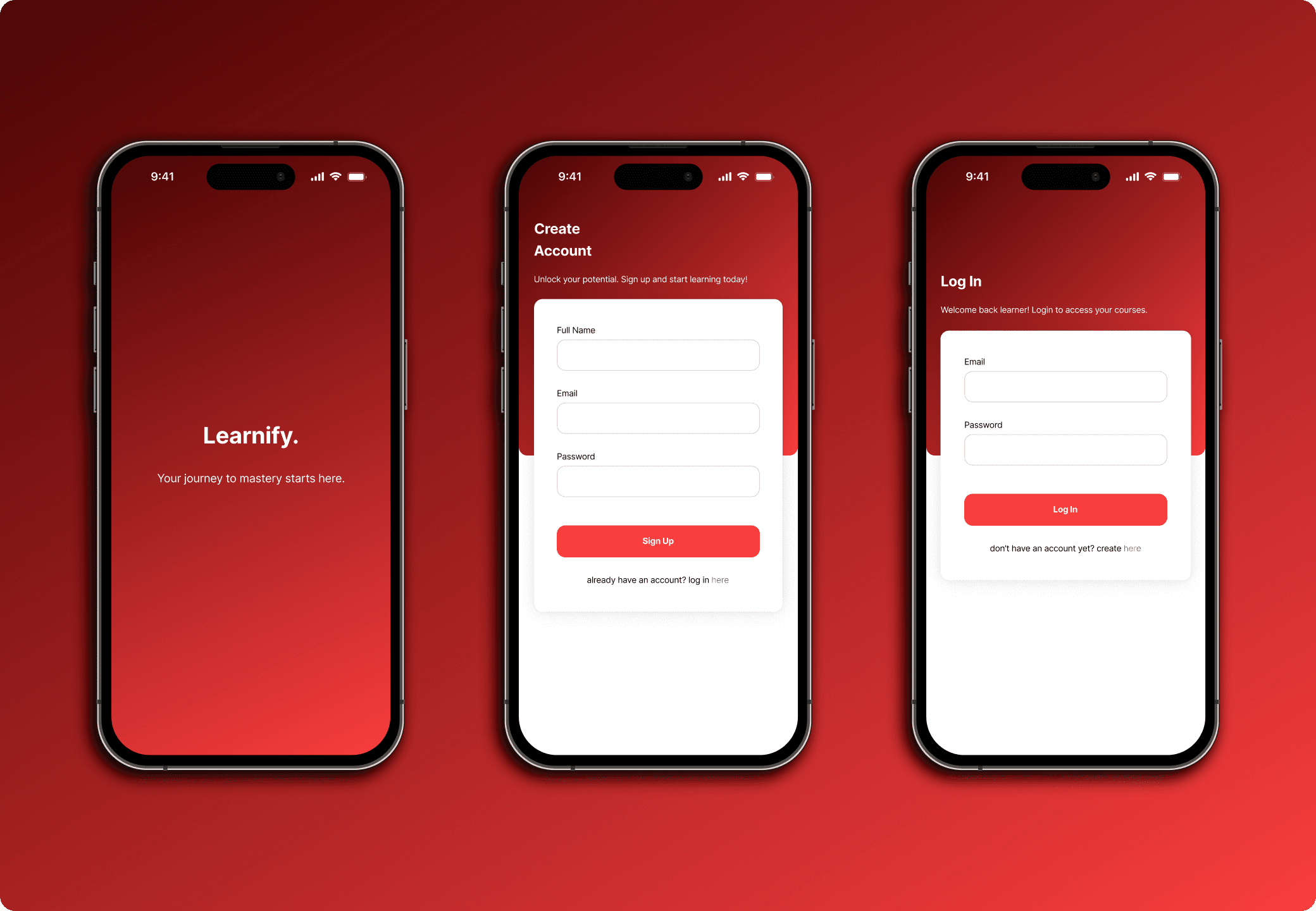
I created a simple onboarding and sign-up page with a clear and easy-to-read layout. The design includes only the necessary information required for users to create an account or log in. The goal is to make the process straightforward and user-friendly. I only using a red and black silhouette to ensuring a contrast and easy to read interface.
HOMEPAGE & COURSE DETAIL
After the user logs in, they will be taken to the homepage, revealing all the courses available. On the homepage, there will be the user’s name, the streak of learning the user has completed, and all the courses available. Users can search with the search bar or browse by category. The navigation bar shows 4 pages: Home, All Courses, Achievements, and Profile. When the users click on one of the courses, they will be directed to the course detail page. Inside the course detail, they can see the course description, the author, and all the necessary details.

Course checkout
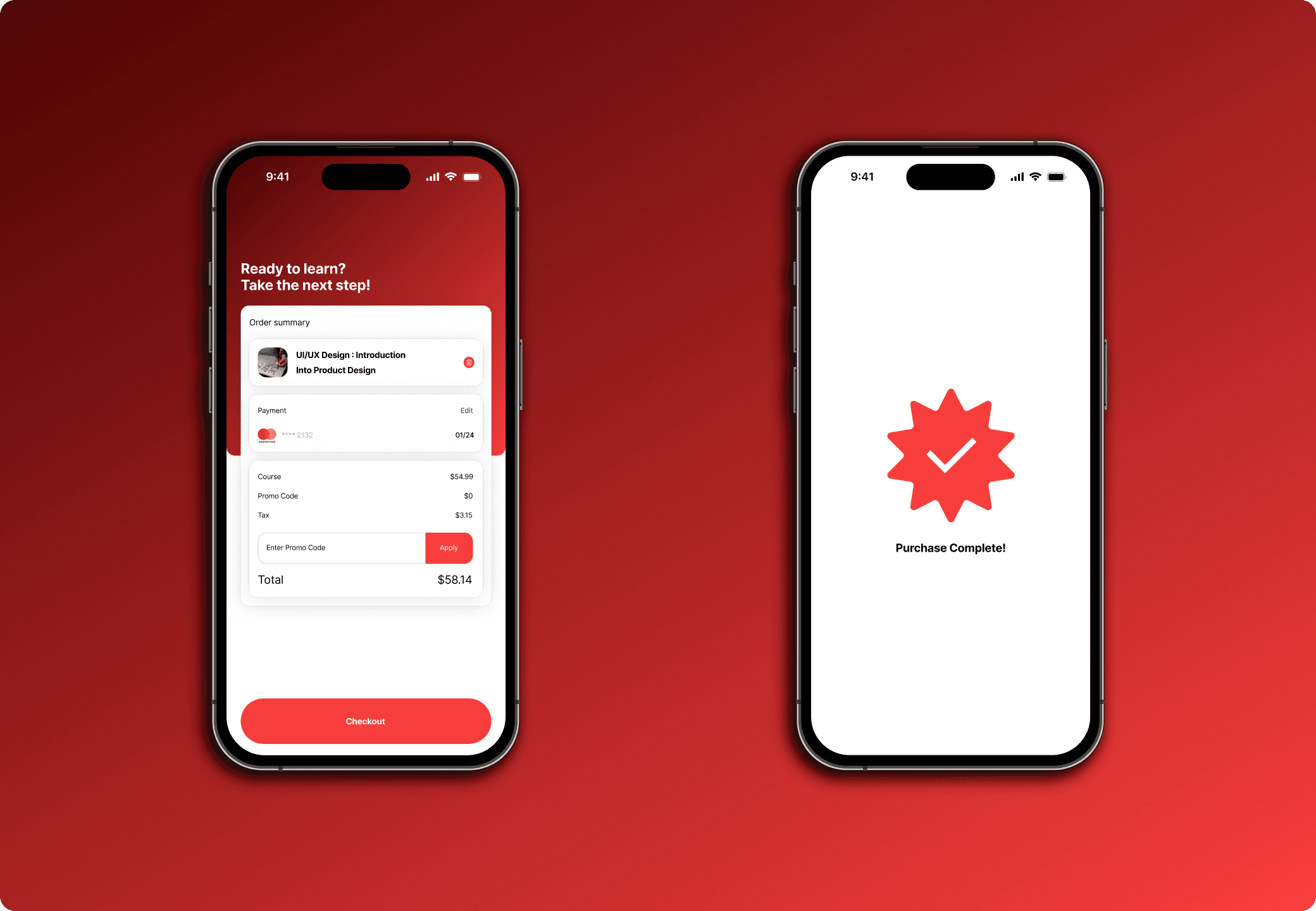
If the users wish to checkout the course, they will be redirected to the checkout page. After the users fill in the necessary information, the course is successfully purchased, and they can start learning the course.
learning process
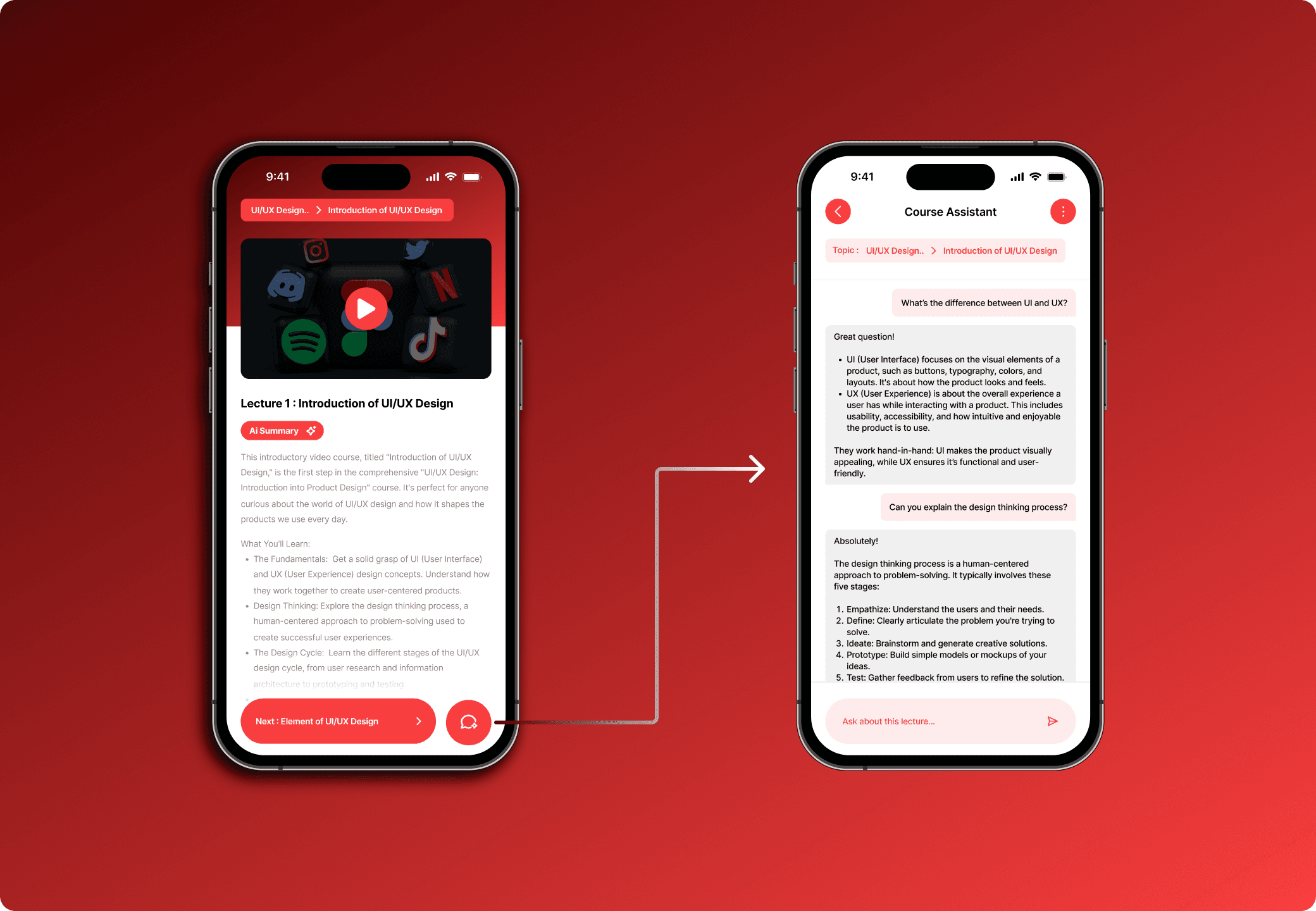
Users can start learning by playing the video in each lecture. Each lecture will have an AI Summary that helps users summarize the content. Users can also use the AI Assistant feature to ask questions about the lecture if they still don’t understand it.
Conclusion
Learnify is a design exploration I did to enhance my mobile design skills. I learned about sectioning, layouting, and hierarchy. Designing mobile apps is definitely different from desktop, especially when it comes to adding written content. Hierarchy is especially important in mobile design to ensure the content is readable.
Responsive Design
Coming Soon!
Responsive Design
Coming Soon!
Responsive Design
Coming Soon!
Responsive Design
Coming Soon!
Still Curious about my work?
Check out my other work here 👇
Dribbble
Next Project
Auzan Zaky